
Online lessons make it easy to teach a student in another state, or another country, just as easily as one across town. Many teachers also spend part of the year away from home at summer festivals, on tour, or visiting family. But every time zone line brings the same small worry: is that lesson at 4:00 my time, or theirs?
With Timezone Improvements in MakeMusic Studio, you can stop doing the math in your head. Times are clearer everywhere you look, from your calendar to the scheduling screen to the details of each lesson.
A calendar that knows where you are
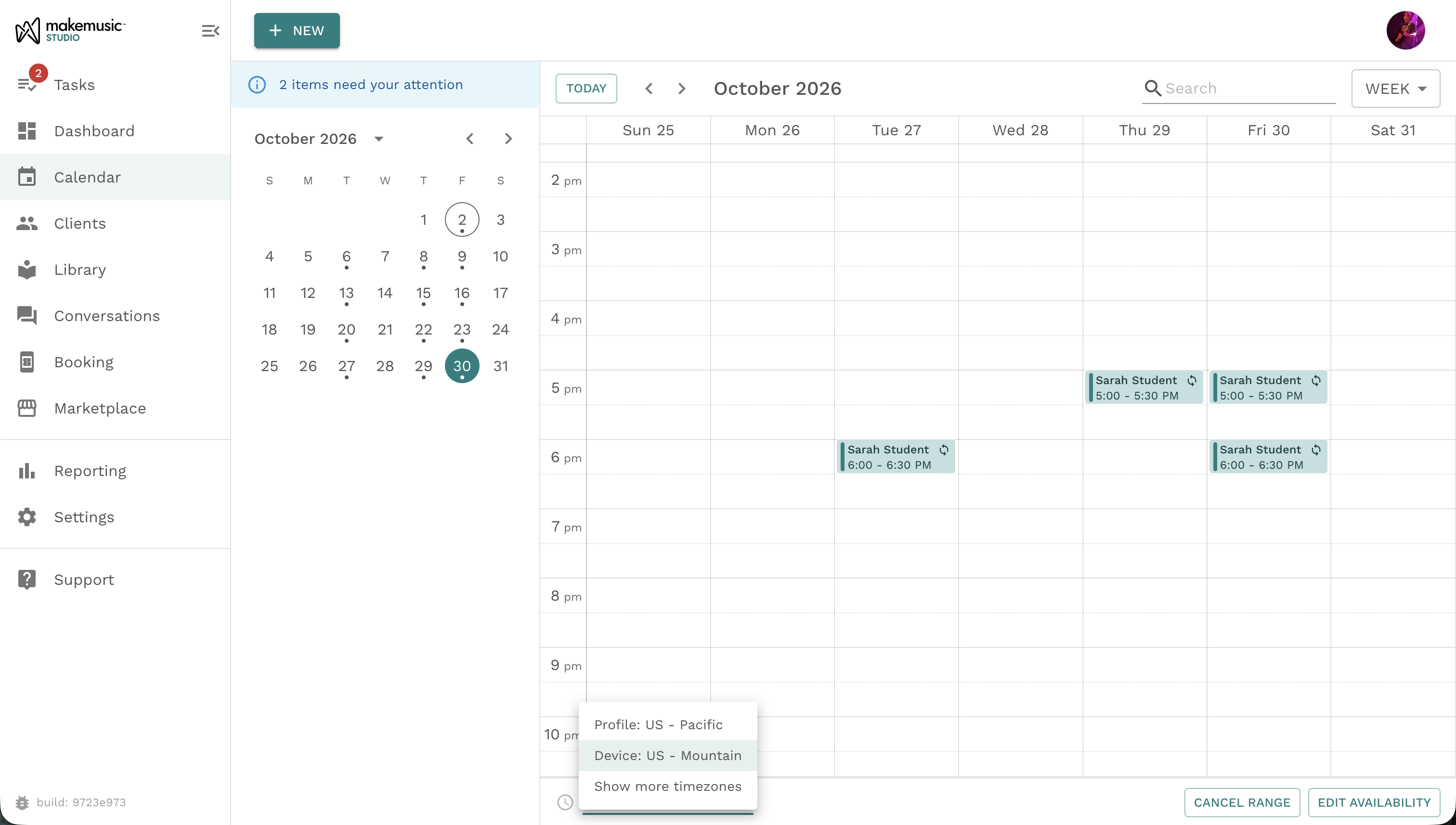
Your calendar and Dashboard agenda show times in your device’s time zone, now clearly labeled so you always know what you’re looking at.
Prefer to see your week in your home studio’s time? Switch to your profile time zone in a click. Your calendar and agenda stay in sync, so the times match wherever you look.
Schedule in your student’s time
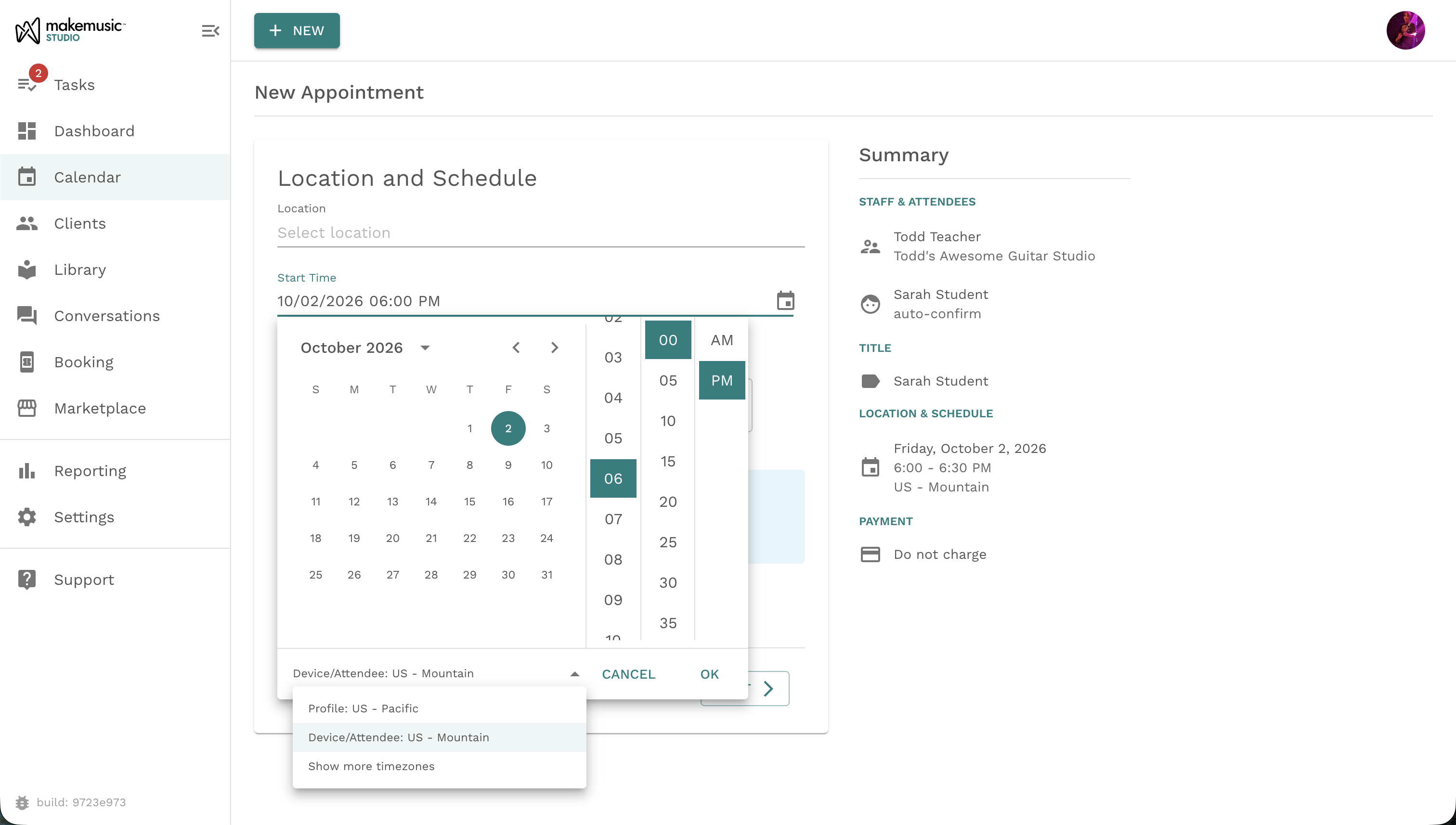
Booking a lesson with a student in another time zone used to mean converting times and hoping you got it right. Now, when you schedule an appointment, workshop, or class, you choose which time zone the start time is in. You can pick your device time zone, your profile time zone, or, for one-on-one lessons, your student’s time zone when it’s known. You can also choose from the full list of time zones. Switch time zones and MakeMusic Studio does the math for you: a 2:00 PM Mountain lesson becomes 4:00 PM Eastern.
If you book in a time zone other than your own, MakeMusic Studio shows it right below the start time, so there’s no second-guessing. It also won’t let you book a lesson that has already passed in that time zone.
Daylight saving time, handled
Each lesson follows the time zone it was booked in, including its daylight saving rules. Book a lesson in Arizona time, which doesn’t observe daylight saving, and it stays put when clocks change elsewhere. No more virtual lessons suddenly shifting by an hour.
Clear times on every lesson
Every appointment’s details page now shows the time zone next to the lesson time. You can change it when you reschedule, too.
Why it matters
A lesson booked at the wrong time is more than an inconvenience. It can mean a missed lesson, an awkward conversation, or a frustrated family. Clear, accurate times help you:
- Teach online students anywhere without confusion
- Keep your schedule straight while you travel
- Book lessons at the time that makes sense for your student
- Give families a more professional, reliable experience
Less math, more music
Your time zone should never get between you and your students. With these improvements, MakeMusic Studio keeps the details straight so you can focus on the lesson itself, whenever and wherever it happens.
Ready to try it? Open your calendar and use the time zone label to switch your view, or schedule your next lesson and pick the time zone that fits.